%%{init: {'securityLevel': 'loose', 'flowchart': {'diagramPadding': 24}, 'themeCSS': 'foreignObject{overflow:visible}span.bot{display:flex;justify-content:flex-start;align-items:flex-start;width:100%;height:0;overflow:visible;line-height:0}span.bot img{display:block!important;width:18px!important;height:18px!important;padding:2px;background:#fff;border-radius:50%;box-shadow:0 0 0 1px #999}span.bot.r img{margin:0;transform:translate(-24px,-24px)}span.bot.d{justify-content:center}span.bot.d img{margin-top:-50%;transform:translateY(-24px)}'}}%%
flowchart TD
START(["START"]) --> search_docs["search_docs"]
search_docs --> generate["<span class='bot r'><img src='data:image/svg+xml;base64,PHN2ZyB4bWxucz0iaHR0cDovL3d3dy53My5vcmcvMjAwMC9zdmciIHdpZHRoPSIyNCIgaGVpZ2h0PSIyNCIgdmlld0JveD0iMCAwIDI0IDI0IiBmaWxsPSJub25lIiBzdHJva2U9IiMzMzMiIHN0cm9rZS13aWR0aD0iMiIgc3Ryb2tlLWxpbmVjYXA9InJvdW5kIiBzdHJva2UtbGluZWpvaW49InJvdW5kIj48cGF0aCBkPSJNMTIgOFY0SDgiLz48cmVjdCB3aWR0aD0iMTYiIGhlaWdodD0iMTIiIHg9IjQiIHk9IjgiIHJ4PSIyIi8+PHBhdGggZD0iTTIgMTRoMiIvPjxwYXRoIGQ9Ik0yMCAxNGgyIi8+PHBhdGggZD0iTTE1IDEzdjIiLz48cGF0aCBkPSJNOSAxM3YyIi8+PC9zdmc+'/></span>generate"]
generate --> END(["END"])
18 Streaming

Run the doc-bot from any model-backed chapter and watch the terminal. search_docs returns at once; then nothing happens for several seconds while generate writes its paragraph, and the finished answer lands in one piece. That is what graph.invoke(...) is: a function call that returns when the graph ends, and until then the caller has nothing to show (the one time we saw anything earlier was a quick taste of .stream() in Chapter 15). Every chat product you have used shows words as the model produces them. This chapter shows how.
Almost nothing is rewritten. invoke becomes stream, and stream takes one extra argument, stream_mode, which names what you want handed back while the graph runs. The modes are easiest to pick by the question you are asking:
| Your question | stream_mode |
Each iteration yields |
|---|---|---|
| Which node just ran, and what did it write? | "updates" |
{node_name: its delta} |
| What is the model typing, right now? | "messages" |
(token_chunk, metadata) |
| How do I report progress from inside my own node? | "custom" |
whatever the node broadcasts |
The chapter takes them in that order, then asks for two at once. There are other modes ("values" yields the whole State after each step, "debug" a firehose of run events); the closed set of seven is printed in a Deep Dive near the end.
18.1 The graph: two nodes, no streaming code
The model is the same local one every model-backed Part II chapter has used, connected the same way (Chapter 12). It runs on your own machine, so a thousand streamed tokens cost nothing.
from langchain_openai import ChatOpenAI

llm = ChatOpenAI(
    base_url="http://localhost:1234/v1",  # your local server, not the OpenAI cloud
    api_key="lm-studio",                   # the local server ignores the key
    model="qwen/qwen3.8-27b",              # a capable open model that follows instructions
    temperature=0,                         # 0 = as reproducible as a real model gets
    reasoning_effort="none",               # Qwen3.8 thinks by default; off for now
)
Notice what is not on that constructor: streaming=True. ChatOpenAI accepts it — but you do not need it here. When you ask the graph for tokens, LangGraph attaches a streaming callback to the run, and the model switches to its streaming API on its own.
The graph is the smallest one with something worth watching: a step that does work and a step that calls the model, in a straight line with no routing to look past.
from typing import NotRequired, TypedDict


class State(TypedDict):
    question: str                     # input, set by the caller
    docs: NotRequired[list[str]]      # written by search_docs
    answer: NotRequired[str]          # written by generate
search_docs returns a stubbed lookup (the real vector store waits for Part III). The two get_stream_writer() calls in it are the chapter’s one opt-in. They feed the custom channel in Section 18.5, so read past them for now. Its returned dict is the only mark it leaves on State, whatever the writer(...) calls broadcast alongside it:
from langgraph.config import get_stream_writer


def search_docs_node(state: State) -> dict:
    writer = get_stream_writer()
    writer({"progress": "searching the knowledge base"})

    docs = [
        "Kafka Manual: set spring.kafka.listener.type=batch to enable batch consumption.",
        "Kafka FAQ: batch consumers need max-poll-records tuning.",
    ]

    writer({"progress": f"found {len(docs)} document(s)"})
    return {"docs": docs}   # lands in State; with a checkpointer, also in a checkpoint
generate is the node people expect to have to change for streaming, and it is the one that does not. The body is the llm.invoke from Chapter 12:
def generate_node(state: State) -> dict:
    sources = "\n".join(f"- {d}" for d in state.get("docs", []))
    prompt = f"""
        Answer the question concisely, using only the sources below.

        Question: {state['question']}

        Sources:
        {sources}

        Answer:"""
    answer = llm.invoke(prompt).content.strip()
    return {"answer": answer}
The node’s job is to compute a dict update; how that work is observed from the outside is decided by whoever runs the graph. That separation is what lets the same compiled graph serve a CLI, a web socket, and a batch job in Chapter 22 without a second copy of any node. The wiring is Chapter 4’s linear pipeline, two nodes and three edges, plus compile():
from langgraph.graph import StateGraph, START, END

builder = StateGraph(State)
builder.add_node("search_docs", search_docs_node)
builder.add_node("generate", generate_node)

builder.add_edge(START, "search_docs")
builder.add_edge("search_docs", "generate")
builder.add_edge("generate", END)

graph = builder.compile()18.2 invoke waits; stream yields
graph.invoke(...) runs the whole graph and hands back one final value. graph.stream(...) runs the same graph as a generator you loop over, and each iteration is one thing the graph produced along the way. stream_mode says what “one thing” is. All four demos below ask the same question, so we name it once:
QUESTION = "How do I configure Kafka batch consumers?"18.3 I want node updates: stream_mode="updates"
The coarsest view. Every time a node finishes, stream yields a one-key dict: the node’s name mapped to the delta it returned, the same delta the runtime merges into State.
def demo_updates() -> None:
    print("\n===== stream_mode='updates' (per-node delta) =====")
    for chunk in graph.stream({"question": QUESTION}, stream_mode="updates"):
        for node, delta in chunk.items():
print(f" [{node}] wrote fields {list(delta.keys())}")===== stream_mode='updates' (per-node delta) =====
[search_docs] wrote fields ['docs']
[generate] wrote fields ['answer']Two nodes ran, so two chunks came out, in execution order. This is the view for a progress indicator keyed to steps (“searching… generating…”), or for a log that records what each node produced without caring about the prose inside. None of the model’s text reaches this loop until generate has finished.
18.4 I want tokens: stream_mode="messages"
In "messages" mode, stream yields message chunks as the model produces them — for a text answer, roughly one per token, though a chunk can be empty, carry only metadata, or bundle several tokens depending on the provider. Each yield is a pair: a message chunk whose .content is the new slice of text, and a metadata dict that names the node it came from. Treat a chunk as a slice of streamed output, not a guaranteed one-to-one with the model’s tokenizer tokens (so don’t count chunks to bill tokens). We print generate’s chunks as they arrive.
def demo_messages() -> None:
    print("\n===== stream_mode='messages' (token by token) =====")
    # end="" keeps tokens on one line; flush=True prints each one immediately
    # instead of waiting for a full buffer, which is what makes it look live
    print("  ", end="", flush=True)
    for msg_chunk, metadata in graph.stream(
        {"question": QUESTION}, stream_mode="messages"
    ):
1        if metadata.get("langgraph_node") == "generate" and msg_chunk.content:
2            print(msg_chunk.content, end="", flush=True)
print()- 1
-
Two guards that matter later.
metadata["langgraph_node"]keeps streams apart when a second node also calls a model (a summarizer, say): its tokens carry a different node name.msg_chunk.contentskips the empty chunks a model interleaves with metadata-only events. - 2
-
end=""so the tokens flow into one line.
===== stream_mode='messages' (token by token) =====
  To configure Kafka batch consumers, set `spring.kafka.listener.type=batch` and tune the `max-poll-records` setting.
On screen that text types itself out, word by word, because each token is printed the moment the model emits it. generate still calls plain llm.invoke. LangGraph, having been asked for "messages", runs the model in streaming mode and forwards each token to your loop.
The exact words streamed vary run to run (Chapter 12). What does not change is that chunks arrive tagged with their node. In this linear graph they also arrive in node order — but that is this graph’s shape, not a guarantee: run nodes in parallel and their chunks can interleave, which is exactly what the metadata tag is for.
18.5 I want to emit my own progress: stream_mode="custom"
updates and messages report things LangGraph already knows: node results and model tokens. Sometimes a node is doing slow work of its own that the framework cannot see into, paging through an API or waiting on a database. For that there is "custom", the one channel whose contents are yours. Inside a node you call get_stream_writer(), and whatever you hand the returned writer is yielded on the custom stream while the node is still running.
This is what search_docs was doing back in Section 18.1. It broadcasts a {"progress": ...} dict twice, once before the lookup and once after, while the returned {"docs": ...} is the only thing that reaches State. Consuming it is the same loop, reading back the payloads the node wrote:
def demo_custom() -> None:
    print("\n===== stream_mode='custom' (progress events you emit) =====")
    for event in graph.stream({"question": QUESTION}, stream_mode="custom"):
print(f" progress -> {event['progress']}")===== stream_mode='custom' (progress events you emit) =====
progress -> searching the knowledge base
progress -> found 2 document(s)Both messages came from inside search_docs, mid-run, before the node returned, so a UI can show them while the lookup is still going. The same property is the trap.
WarningGotcha:
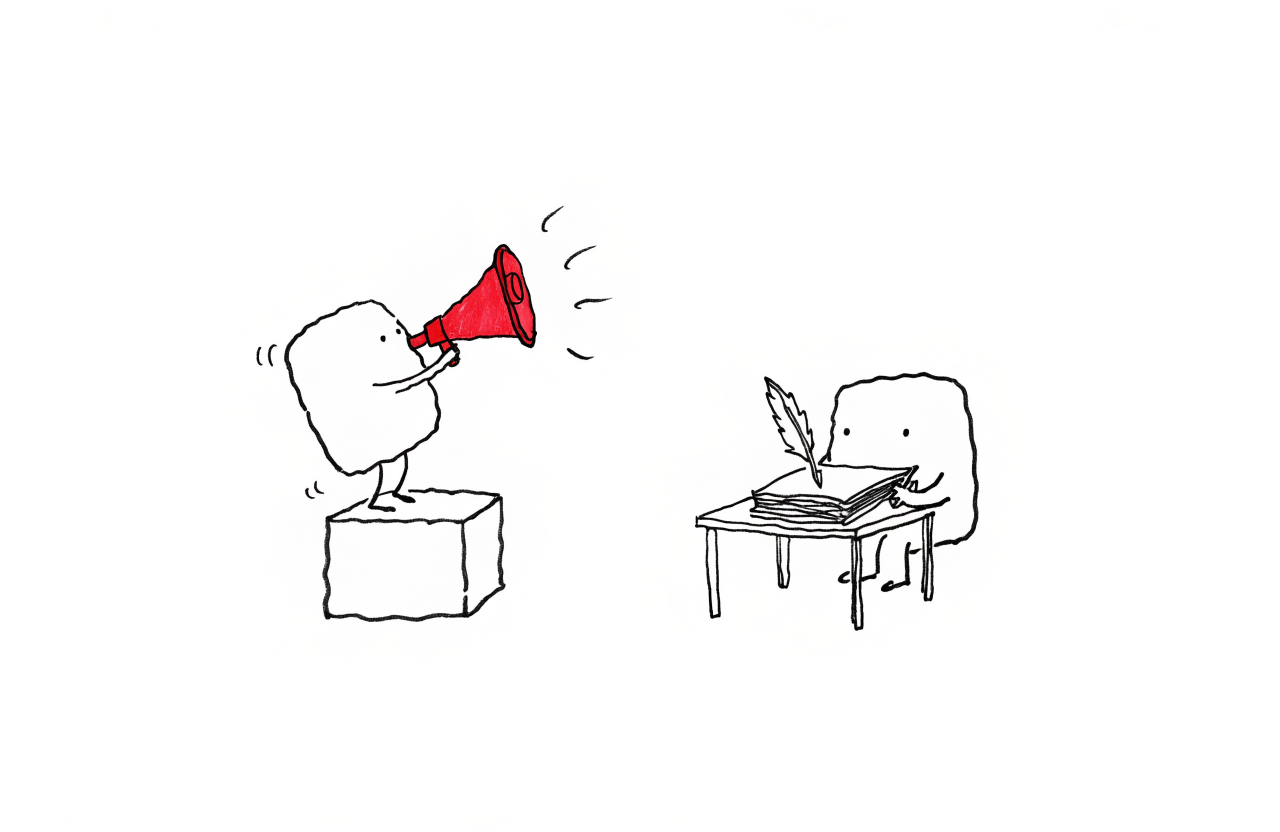
custom is a bullhorn, not a logbook
It is tempting to treat those writer(...) calls as a progress record: write each step out, and if the run dies you can resume from the last one you saw. You cannot. The custom stream is real-time and ephemeral. What you write goes out to whoever is listening right now and is never stored; it does not land in State, it is not written to the checkpoint, and if the process crashes there is nothing to resume from.
Keep two channels straight. writer({"progress": ...}) shouts to the UI and forgets. return {"docs": ...} goes into State, and with a checkpointer attached it is persisted, so that is what a resumed run reads back (Chapter 8). The two are independent and you use both at once.
If what you want is “show progress and survive a crash,” do not reach for custom. Write the progress into a State field (give it a list reducer, as in Chapter 10, so each node appends) and let a checkpointer persist it. How that persistence works, and why the stream is the wrong tool for it, is the subject of the persistence-internals chapter in Part III. Resumption and durable execution are the checkpointer’s job, never the stream’s.
18.6 I want two at once: a list of modes
A real UI wants updates to drive a step indicator and messages to fill the answer box. Pass a list of modes and stream delivers both in one loop, and because it now has to tell you which yield is which, each iteration becomes a (mode, data) tuple. You branch on mode to unpack data.
def demo_combined() -> None:
    print("\n===== stream_mode=['updates', 'messages'] ((mode, data) tuples) =====")
    for mode, data in graph.stream(
        {"question": QUESTION}, stream_mode=["updates", "messages"]
    ):
        if mode == "updates":
            for node, delta in data.items():
                print(f"\n  [{node}] finished, wrote {list(delta.keys())}")
        elif mode == "messages":
            msg_chunk, metadata = data
            if metadata.get("langgraph_node") == "generate" and msg_chunk.content:
                print(msg_chunk.content, end="", flush=True)
print()===== stream_mode=['updates', 'messages'] ((mode, data) tuples) =====
[search_docs] finished, wrote ['docs']
To configure Kafka batch consumers, set `spring.kafka.listener.type=batch` and tune the `max-poll-records` setting.
[generate] finished, wrote ['answer']The order exposes how the channels interleave. search_docs finishes and its updates delta lands. Then the answer streams: those are generate’s messages tokens, arriving while the node runs. Only after the last token does generate’s own updates delta appear. A node’s tokens come out as it works; its update comes out when it is done, and the tuple tag is what lets one loop keep those two clocks apart.
One thing no mode shows you by default: what happens inside a subgraph. A compiled subgraph used as a node (Chapter 11) reports a single update under its own node name, and its inner nodes stay invisible — so a step indicator built on updates shows one opaque box where a reader expects three. Pass subgraphs=True alongside stream_mode and every yield gains a namespace tuple naming where it came from, (('docs_agent:0f2d…',), {'rewrite': …}), and the nested graph streams at full resolution. It changes the shape of your loop, which is why it is opt-in.
NoteDeep Dive:
stream_mode is a closed set, and custom is the only escape hatch
It is easy to read stream_mode="updates" as a free-form label, the way custom payloads are free-form. It is not. stream_mode is a built-in keyword whose legal values are a closed set defined by LangGraph. You can print the enum:
from langgraph.types import StreamMode
print(StreamMode)
typing.Literal['values', 'updates', 'checkpoints', 'tasks', 'debug', 'messages', 'custom']Seven keywords. The everyday four are values (full State each step), updates (per-node delta), messages (LLM tokens), and custom; debug, checkpoints, and tasks expose lower-level run events you will rarely stream by hand.
The one place your own vocabulary is welcome is custom: it carries whatever object you pass to the writer, in whatever shape you like, and it is the single user-defined channel in the streaming surface.
WarningGotcha: a misspelled
stream_mode yields nothing, and does not raise
stream_mode takes one of seven fixed keywords, so an unrecognized one is not an error — it simply matches no mode, and the stream ends before it starts while the graph runs to completion:
list(graph.stream({"question": QUESTION}, stream_mode="update")) # -> [] (no error)Any string does this, not just a near-miss: "value", "nonsense", anything outside the set yields the same empty list. An empty stream and a green run is the shape of a bug you will stare at for ten minutes, because the for loop over it simply never runs a body.
Two things turn that miss loud. Because stream_mode is typed as that Literal, a type checker flags "update" before you ever run; the cheapest guard is to let mypy or pyright read the call. And when the mode is not a literal in your source but arrives from a config file or a CLI flag, check it against the closed set:
from typing import get_args
from langgraph.types import StreamMode

VALID = frozenset(get_args(StreamMode))
if mode not in VALID:                       # `mode` came from config, not your keyboard
    raise ValueError(f"unknown stream_mode {mode!r}; valid: {sorted(VALID)}")
Read the set from get_args, never a hand-copied list, so the guard tracks LangGraph if the keywords ever change. What you cannot lean on is “did the stream yield anything?”: ask for ["updates", "update"] and the valid mode still delivers while the typo is dropped in silence — you get output, just not all of it.
NoteDeep Dive: two “newer” streaming surfaces
Everything in this chapter drives graph.stream(..., stream_mode=...) (and its async twin graph.astream(...), the async door that Chapter 23 opens). On LangGraph 1.2.19 that is the stable, general-availability streaming API, and it is what you should build on. Two other surfaces sit beside it, and they are not the same kind of thing.
The first is version="v2" on stream() and invoke(). It is not a preview flag: on our pin it raises no warning, because it has been GA since 1.1.0. It takes the same stream_mode values; the only change is the shape of what comes back. Instead of a bare {node: delta} (or a (mode, data) tuple when you ask for several modes), every part is a typed dict with the mode, the subgraph namespace, and the payload. On a one-node stub graph:
list(graph.stream({"n": 0}, stream_mode="updates", version="v2"))
# [{'type': 'updates', 'ns': (), 'data': {'a': {'n': 1}}}]
invoke(..., version="v2") makes the matching change on the non-streaming side: it returns a GraphOutput(value=..., interrupts=()) instead of the raw state dict — with the default stream_mode="values"; ask invoke for another mode and v2 hands back the same list of typed parts stream would have yielded. So the __interrupt__ list you read out of the result in Section 9.4 becomes out.interrupts. Same information, a named slot instead of a magic key. The v1 shapes used throughout this book remain the default and are fully supported.
The second is graph.stream_events(version="v3"), a content-block event stream where instead of one tagged stream you drive independent iterators for messages, values, and the like. Its own docstring says “The version="v3" API is experimental and may change,” and stream_events still defaults to version="v2". The docs have already moved ahead of the code here: the streaming guide now recommends event streaming for new applications, while the shipped docstring still marks v3 experimental. If you are starting a project today, read the event-streaming guide before you commit, and expect that recommendation to harden.
One shape change comes with it. Drive this chapter’s graph through stream_events(version="v3") and the message generate gets back from llm.invoke no longer carries a string: .content is a list of content blocks ([{"type": "text", "text": ...}]), and .content.strip() — the line every node in Part II has used — raises AttributeError: 'list' object has no attribute 'strip'. Read .text instead; it returns the string under either protocol.
18.7 Running it
The runnable file for this chapter, code/ch16_streaming.py, defines the linear graph above and runs all four demos in turn against the same question, “How do I configure Kafka batch consumers?” Each demo starts its own graph run and its own model call, so you are watching the same input through four separate runs; only demo_combined() observes two channels (updates and messages) from a single run:
if __name__ == "__main__":
    demo_updates()     # per-node deltas
    demo_messages()    # the typewriter
    demo_custom()      # your progress events
    demo_combined()    # both, as (mode, data) tuples
Run it and the answer text will type itself out under the messages and combined sections; the updates and custom sections stay short and structural. The words will differ from the blocks above, a fresh run each time.
18.8 The same shape elsewhere
stream() returns a generator, and it is lazy in the strict sense: the graph advances only as you consume it. Call it and walk away and nothing runs — not even the first node. If you have written a Python generator, this is that, with a graph on the producing end instead of a loop.
That is worth more than a tidy parallel, because it explains a failure that reads as a bug: a stream nobody drains is a run that never finishes. break out of the loop early and the graph is parked mid-run with its later nodes unexecuted. invoke has no such failure mode, and that is exactly the difference between an eager call and a lazy one.
Laziness governs scheduling, though, not work already in flight. It is true before you start iterating — call stream() and walk away and nothing runs. Once you have begun, a node already executing in the current superstep is not cancelled the instant you stop consuming: its model call or side effect can still finish; what your break withholds is the scheduling of later supersteps. Stopping a stream is not the same as cancelling a run — shutdown is a serving concern, and Chapter 22 picks up the half it implements: draining in-flight runs on the way down. Cancelling a run already under way is outside this edition.
Where the analogy breaks is where the Gotcha above put it. A Kafka topic is not lazy at all — producers write and the broker keeps the log whether anyone is reading — but a consumer can replay it from any offset still inside the retention window; custom is real-time only, and nothing handed to writer(...) is stored anywhere.
18.9 Before moving on
The decisions this chapter leaves you with are small. Pick the mode by the question: updates for a step indicator or a log, messages for the typewriter, custom when the slow part is inside your own node and the framework cannot see it, and a list when the UI needs two of those at once (then branch on the (mode, data) tag). Spell the mode from the StreamMode literal, because a typo gives you an empty stream and a green run. Put anything that must survive a restart into State, not into writer(...); the checkpointer persists the one and has never heard of the other. And build on graph.stream(stream_mode=...): on 1.2.19 it and version="v2" are GA, and only stream_events(version="v3") is experimental.
That is the last of the model’s own capabilities. We started this part by dropping a real model into a fixed machine (Chapter 12) and spent it learning to live with the model as the biggest variable — constraining its output with schemas, letting it call tools, scheduling several of them, giving it memory, and now letting its answers stream out as they are generated.
Two chapters close Part II by turning back to the machine around the model. The next one opens the seams of create_agent’s loop — the fifth rung of the ladder Section 13.7 left you on, where a hook can gate a destructive tool or cap how often the model is called without your touching the graph at all. Then, before any of this goes near production, we write down what we have so far only ever checked by eye.
New pieces in this chapter
| Piece | Usage |
|---|---|
| Type | |
StreamMode |
The Literal of the seven legal stream_mode keywords. from langgraph.types import StreamMode; the set is closed — a typo yields an empty stream, not an error |
| API | |
get_stream_writer() |
Inside a node, returns a writer that broadcasts on the custom channel. writer = get_stream_writer(), then writer({"progress": …}); real-time only, never stored |
stream(stream_mode=…) |
Keyword arg on stream() that selects what each yield is: values, updates, messages, custom, …. graph.stream({"question": …}, stream_mode="updates"); pass a list and each yield becomes a (mode, data) tuple |
Code in this chapter
| File | What it runs |
|---|---|
code/ch16_streaming.py |
Every stream_mode against one unchanged graph – values, updates, messages, custom – and what each yields. |
Challenge
🥉 Bronze — add a snapshot view
We streamed updates, messages, and custom, but skipped values. Add a demo_values() that runs the graph with stream_mode="values" and prints the keys of each yield. Predict first: updates gave you two chunks (one per node) — how many will values give, and why? Run it and check. Note when you would reach for values over updates.
 Worked solution with tests:
code/answers/ch16_values_snapshot.py.
You should see one more than you might expect, because values yields the full State after every step, including the initial input — a snapshot each time, not a delta.
🥈 Silver — inspect progress after the stream ends
The Gotcha claimed that custom progress vanishes with the run while State stays inspectable. Prove the second half: have search_docs report its progress, and after the stream ends show the record is still sitting in State while the custom events you streamed are nowhere to be found, because you never stored them. Hints: send the same fact down both channels; a checkpointer (Chapter 8) is what lets you look at State after a run.
What this proves: InMemorySaver keeps that state only in the current process’s memory, so you have shown inspectability, not crash survival; kill the process and the saved state dies with it. Swapping it for a durable checkpointer (SQLite or Postgres, per Chapter 8) is what lets the same progress list survive a real restart. The same fact traveled two channels, and only the one that went through State outlived the stream.
Worked solution with tests: code/answers/ch16_durable_progress.py.
🥇 Gold — one token stream, two nodes
Give the graph a second model call — a critique node after generate that asks the model for a one-line critique of the answer — and stream with stream_mode="messages". Both nodes now emit tokens onto the same stream. Use metadata["langgraph_node"] to route them: print generate’s tokens under an “Answer:” heading and critique’s under a “Critique:” heading, live, as each streams. This is the filtering the chapter’s if metadata.get("langgraph_node") == "generate" line hinted at, now doing real work, and it is the pattern you will want the moment a graph has more than one thing to say.
Worked solution with tests: code/answers/ch16_two_streams.py.